Keep the project file, not just an exported mesh
3MF is a package format. Depending on the creating application, a file may contain multiple objects and application-specific information. An STL export should not be assumed to preserve a slicer project’s settings.
A simple project layout
- Keep the original 3MF with the design name and revision.
- Store exported STL variants beside it.
- Add a reference image and a short note describing the successful print setup.
- Keep source links and license notes with downloaded designs.
Browse and preview in a local library
MakerHoard’s development workspace groups related assets and provides 3D previews. Preview behavior depends on the file, embedded materials, and build. Check your own files; an image preview does not prove that every setting or object has been interpreted.
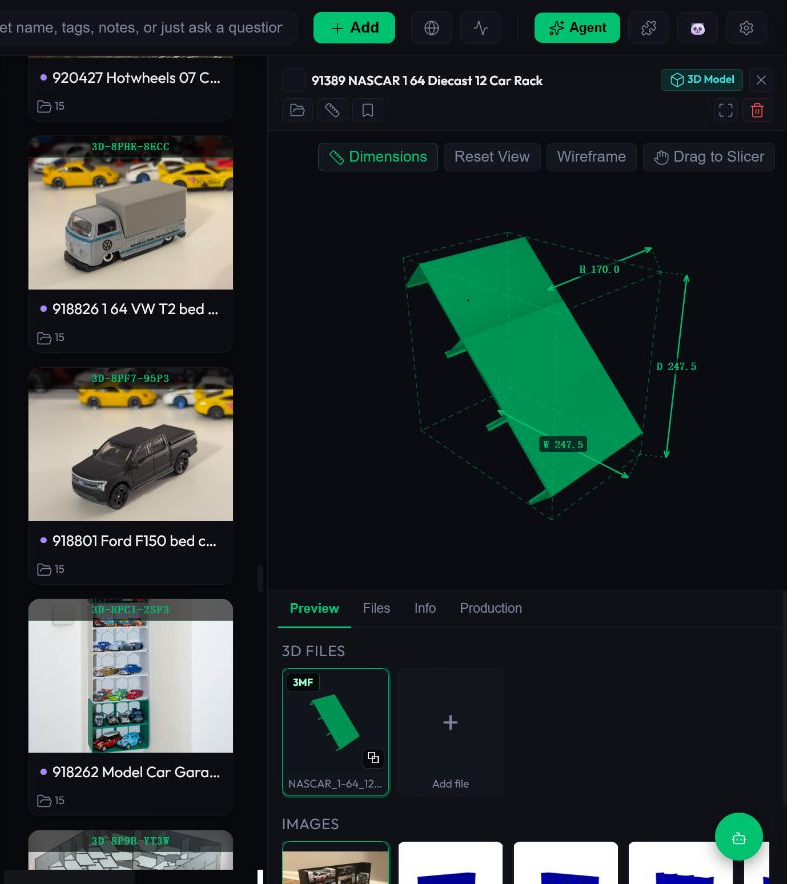
Check these before trusting a workflow
- Compare the visible model and parts with the original project.
- Confirm that images and related files are still easy to locate.
- Export or copy a test file back out and reopen it in its original application.
- Use your slicer to review printer, material, plate, and support settings.
It works alongside your slicer
A file organizer is for finding and managing project materials. Bambu Studio, OrcaSlicer, or another slicer remains responsible for its own project settings and print preparation. No affiliation with these products is implied.
Questions
Does previewing a 3MF mean it is ready to print?
No. Inspect it in your slicer and verify the intended printer and settings.
Does organizing local 3MF files require marketplace access?
No marketplace integration is required to organize files you already have locally. Source collection is a separate, build-dependent workflow.
Try a small collection first
Use copies of a few projects, keep your originals backed up, and check the actual beta behavior before importing a large library. The development screenshots do not establish that every feature is in the existing installer.
Related guides
Written by the MakerHoard team · reviewed November 2, 2026. Report a correction or a bug.